Hashcat Compressed Wordlist Link Jun 2026
zcat rockyou.txt.gz | hashcat -m 0 -a 0 hashes.txt
Bzip2 offers higher compression ratios than Gzip, though it requires slightly more CPU power to decompress on the fly.
By mastering compressed wordlists, you can store more passwords in less space, transfer wordlists faster across networks, and focus your cracking efforts where they matter most: recovering passwords efficiently and effectively.
Wordlists (dictionaries) for password cracking can be huge — sometimes tens or hundreds of gigabytes. Compressed formats like .gz , .bz2 , .xz , or .7z save disk space and bandwidth. However, Hashcat itself . hashcat compressed wordlist
Would you like a formatted PDF version, a shorter executive summary, or full benchmark scripts and sample data?
Let’s say you acquired the "RockYou2024" wordlist (15 billion lines, ~150GB raw).
: Native decompression is significantly faster than using external pipes (e.g., gunzip -cd myfile.gz | hashcat zcat rockyou
7z x -so wordlist.7z | hashcat -m 0 -a 0 hash.txt
For most modern systems, the decompression overhead of gzip is negligible during cracking. Users have reported: “From a performance perspective I cannot see any loss of speed” when using gzip compressed wordlists compared to uncompressed ones. The CPU cost of decompressing gzip data is trivial relative to the cryptographic hashing operations performed on the GPU.
Windows users can achieve the exact same streaming functionality using PowerShell combined with a command-line archiving tool like 7-Zip. powershell Compressed formats like
5e884898da28047151d0e56f8dc6292773603d0d6aabbdd62a11ef721d1542d8
When performing password recovery or penetration testing, storage space and disk I/O (Input/Output) are often your biggest bottlenecks. A standard, uncompressed text wordlist containing billions of passwords can easily consume hundreds of gigabytes or even terabytes of storage.
To use a compressed list, you must use a decompression utility to "cat" the contents into Hashcat. 1. Using Gzip (.gz) Gzip is the most common format for Linux users. zcat wordlist.txt.gz | hashcat -m 0 hash.txt Use code with caution. zcat : Decompresses the file to stdout. | : Pipes the output. -m 0 : Example for MD5 (replace with your target hash type). 2. Using 7-Zip (.7z or .zip) 7-Zip offers much better compression ratios than Gzip. 7z e -so wordlist.7z | hashcat -m 1000 hash.txt Use code with caution. e : Extract. -so : Write data to (the pipe). 3. Using Bzip2 (.bz2) bzcat wordlist.txt.bz2 | hashcat -m 1800 hash.txt Use code with caution. Vital Limitations to Consider
Prophets In Quran & Their Ancestry
A Journey Through Revelation - Unveiling The Prophetic Legacy
Read More
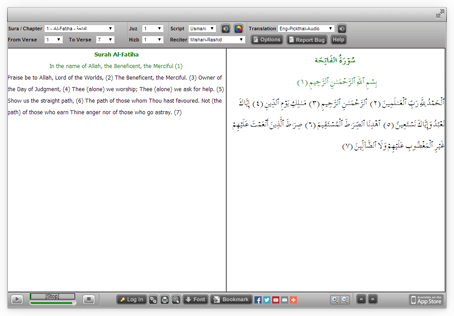
Quran Explorer
Our well known Web client for Recitation & Translation. Its user friendly & completely installation free
Visit Now




Nikah Explorer
NikahExplorer.com is the #1 choice for Single Muslims across the globe to find their ideal life partner through a unique Shariah compliant match making website
Register For Free
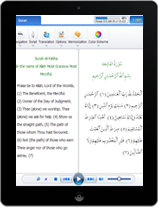
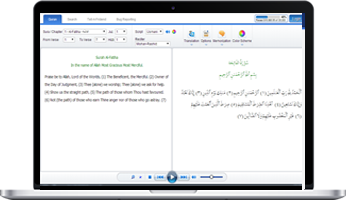
New Quran Explorer Web App
Compatible with your new Tablet & Smartphone along with advance log in & tracking feature
Visit Now

Salah Explorer
- Auto detect local Salah times
- Salah time view in 5 or 30 days interface
- Location based Qibla direction
- Both Islamic and Georgian calendar
- Salah timings for Hanfi & Shafi
- Custom location settings
- Automatically updates when connected
Download
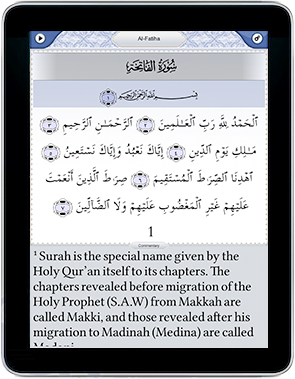
iPhone / iPad App
Simple to use with high quality audio. Your favorite Quran reading application is now available for iPhone & iPad with lots of new features
Visit App Store
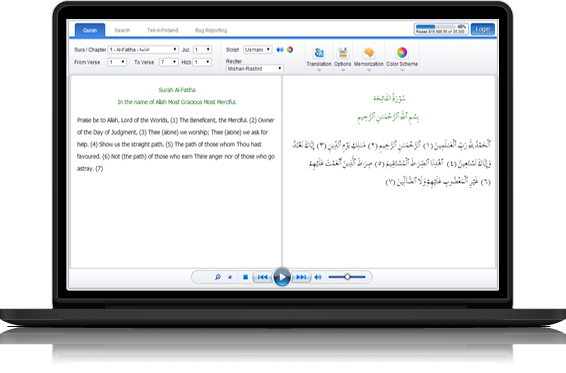
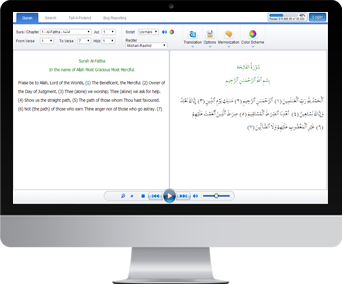
Quran Desktop
Listen to The Quran recitation & translation in Arabic, English and Urdu. This application is now available in both online & offline modes
Get Desktop App
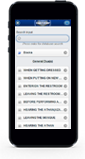
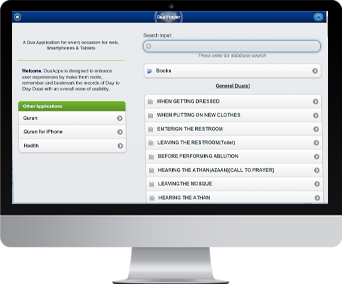
Dua App
Four popular Dua books digitized and searchable containing 1000+ Duas (Supplications) for daily use or special circumstances. Designed to be optimized for Tablets, Smart Phones, and Desktop
Visit Now

Quran Interactive
Learn to read The Holy Quran online with professional teachers. Join hundreds of people that are benefiting from our advance teaching system
Sign up now for a 2 days FREE trial evaluation
Sign UP Now
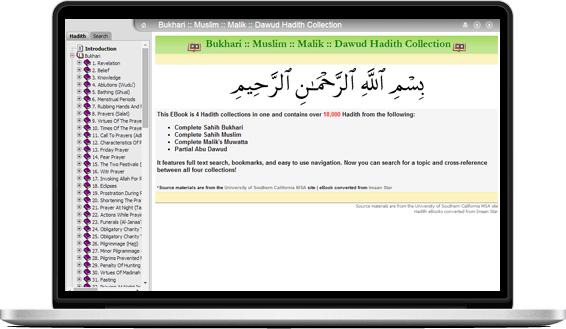
Hadith Explorer
18,000+ Hadith from Bukhari, Muslim, Malik and Dawud searchable & organized in easy to view chapters
Visit Now
zcat rockyou.txt.gz | hashcat -m 0 -a 0 hashes.txt
Bzip2 offers higher compression ratios than Gzip, though it requires slightly more CPU power to decompress on the fly.
By mastering compressed wordlists, you can store more passwords in less space, transfer wordlists faster across networks, and focus your cracking efforts where they matter most: recovering passwords efficiently and effectively.
Wordlists (dictionaries) for password cracking can be huge — sometimes tens or hundreds of gigabytes. Compressed formats like .gz , .bz2 , .xz , or .7z save disk space and bandwidth. However, Hashcat itself .
Would you like a formatted PDF version, a shorter executive summary, or full benchmark scripts and sample data?
Let’s say you acquired the "RockYou2024" wordlist (15 billion lines, ~150GB raw).
: Native decompression is significantly faster than using external pipes (e.g., gunzip -cd myfile.gz | hashcat
7z x -so wordlist.7z | hashcat -m 0 -a 0 hash.txt
For most modern systems, the decompression overhead of gzip is negligible during cracking. Users have reported: “From a performance perspective I cannot see any loss of speed” when using gzip compressed wordlists compared to uncompressed ones. The CPU cost of decompressing gzip data is trivial relative to the cryptographic hashing operations performed on the GPU.
Windows users can achieve the exact same streaming functionality using PowerShell combined with a command-line archiving tool like 7-Zip. powershell
5e884898da28047151d0e56f8dc6292773603d0d6aabbdd62a11ef721d1542d8
When performing password recovery or penetration testing, storage space and disk I/O (Input/Output) are often your biggest bottlenecks. A standard, uncompressed text wordlist containing billions of passwords can easily consume hundreds of gigabytes or even terabytes of storage.
To use a compressed list, you must use a decompression utility to "cat" the contents into Hashcat. 1. Using Gzip (.gz) Gzip is the most common format for Linux users. zcat wordlist.txt.gz | hashcat -m 0 hash.txt Use code with caution. zcat : Decompresses the file to stdout. | : Pipes the output. -m 0 : Example for MD5 (replace with your target hash type). 2. Using 7-Zip (.7z or .zip) 7-Zip offers much better compression ratios than Gzip. 7z e -so wordlist.7z | hashcat -m 1000 hash.txt Use code with caution. e : Extract. -so : Write data to (the pipe). 3. Using Bzip2 (.bz2) bzcat wordlist.txt.bz2 | hashcat -m 1800 hash.txt Use code with caution. Vital Limitations to Consider